Showing posts with label software. Show all posts

Friday, July 31, 2009

My Chromes. Here’s more of them…

A new update on the Dev Channel for Mac and Windows versions of Google Chrome now allows themes to be implemented in the browser.

So that’s cool, I’m sporting this saucy number, kind of a squary camo.


Makes sense, since this theme is called Camo (download).

The second theme available for download is called Snowflake (download). This theme is for the less hardcore Chrome users who can't take the squary manliness of the Camo theme.


If you try these themes and neither strike your fancy, you can still go into the options menu and reset Chrome to the default theme.

I must reiterate that this is a feature that is currently exclusive to the Developer version of Google Chrome, this is an incomplete but fairly stable version of Chrome. If you're using the Beta or Final releases of Chrome, you won't have this option. If you are a Chrome user and wish to switch to the Dev Channel simply click on this link, there are links to all three flavors of Chrome (Windows, Mac and Linux).

On a different, yet still Chrome related note, I just learned that the Mac version of Chrome has yet to have plugins implemented. I still encourage all Mac users to try it and then subsequently be converted to using it.

Saturday, July 25, 2009

My Chromes. PART TWO


You should now be excited.

I was going to post a couple days ago, but I'm lazy and that's part of my manly charm, so I have to keep that up from time to time.

ANYHOO...

A couple days ago, and update for the unstable release of Google Chrome I'm running on my Ubuntu PC was released and I grabbed that right up, this update was special for one specific reason, with this latest update, plugins are now implemented.

Needless to say, awesome. Not only because I no longer need to rely on two browsers to surf, but also because I can tell people this: it's still fast. I haven't noticed a single ounce of slowdown with the implementation of plugins.


My desktop looks considerably different from last time, but that's just a small testament to the versatility of the Linux Platform.

Anyways, moral of the story: go download Chrome.

Wednesday, July 15, 2009

My Laptop is a free spirit!

The wireless is, at least.

Turns out that my internal wireless card is not fried. That dude at the Service place just wanted to give up, and it’s always funny to notice that they sound like a broken record when they can’t fix something, it’s always fried, or the motherboard has to be replaced, when it’s something completely different.

The diagnosis for my laptop was that the WLAN was not working simply because the laptop got so hot that it fried my internal wireless card. That made no sense, since it stopped working after a software update.

Anyways, I’ve got my laptop back, and I’ve got a lovely 802.11 N Wi-Fi USB Adapter to plug into my laptop so it can live on with the interwebs a-flowin’ through it.

Here’s where the weird part comes in.

Much like a Ninja, or more so a wild Stallion, my internal wireless card occasionally shows up and functions. The Stallion analogy works better in my opinion. You can’t tame it, if you shut the gate it’ll just jump the fence and you’ll never see it again. If you leave the gate open, it’ll come in for a little fellowship from time to time with it’s fellow internal components. It seems to show up more often now, maybe it’s because it feels a sense of rivalry between the Wi-Fi adapter and itself… I am a little crazy, yes.

Tuesday, July 7, 2009

My Chromes. Let me show you them...


For the past few weeks, I've been using my Ubuntu PC as my predominant computer due to Lil' Jim still being in the shop (we miss you, man), so without the luxury of
Windows Live Writer for writing my blog posts, I've been forced to use the in-house writer built into Blogger, but I digress.

The true nature of this post is to impart upon my fellow geeks and people who come here accidentally that Google Chrome is the bestest thing in the history of forever. Now, to some of you, you may think of this as some sort of metaphorical poke with a stick. Some of you may be thinking "But James! You cruel, un-moustachioed man! Chrome isn't available on Mac and Linux yet, stop torturing me!"

Well, you're right, Chrome is indeed not avai- Oh hey! Look at that!

That, dear reader, is Google Chrome running on Ubuntu 8.04.

Granted it's a dev build and not the final release, it's still Grease Lightning, no, it's Greased Grease Lightning. That's even faster.

I'm not kidding when I say that Chrome is fast on Linux, it's the fastest browser that I've ever used on any Operating System ever. However, it's not the final release for a reason, it's still not done. According to the splash page you see when you first open the brower, the following features have not been implemented yet:

  • Plugins, including Flash (so no YouTube, Hulu, etc.)
  • Printing
  • Complex text
  • Complex tab dragging
  • Gears support
Looking at the first bullet, you can probably figure out why Chrome can be so fast, there's no plugins. That's not to say that it isn't still fast with the inclusion of plugins, it's just alot faster without.

When I first downloaded Chrome, I spent the first few minutes attempting to make it crash. I only found one way to do it, and that was to exploit the lack of Complex tab dragging. This is where you drag a tab out of the browser window to form a new window out of the tab. It's not too bad until you try to drag the new window back into the old one again.

At least that was a problem until the alpha build was updated. With the release of the new Dev build a few days ago, the complex tab dragging seems to be working, soooo I don't really know why that's still on the splash page.

Now I'm stumped. This build is supposedly a minefield, yet I can't crash it, but maybe you can! Just visit the following link to download the dev build of Chrome for Mac and Linux (32-bit, 64-bit). Have fun.
Reblog this post [with Zemanta]

Monday, June 29, 2009

iPod Touch 3.0 Software Review...

I updated my iPod to version 3.0 around the day that the update came out, now it is time to share my experience with in the form of a software review.

Considering the fact that I have no form of screen capturing device with which to display screens from the iPod, I shall be conveying what I have seen with artistic depictions of each screen I deem necessary for you to see.

In this review, I shall be covering the new features mentioned here that I am able to with my available resources.

First on the chopping block is the newly introduced ability to download Movies, TV shows and Audiobooks right to your iPod via WiFi. The main screen for the new addition is pretty much the same as the music screen, the real difference is when you pick a film.
All in all, I think that this is a good addition, but I have to ask why? Is this so that I can buy whole Movies on the go? I see no real application for this other than to run your battery down. If I'm sitting in a McDonalds and I suddenly have the urge to watch Top Gun, I'll probably be done with my meal, be out of there and home before the movie's done downloading. If you're already at home, just use iTunes, there's no reason to use this feature unless you're in the same boat as I am and your computer's in the shop.

The next feature would have to be Spotlight Search, an addition to the Home screen. This feature will search your iPod's contact lists, emails, calendars, notes, music and videos for anything you type into the search box.
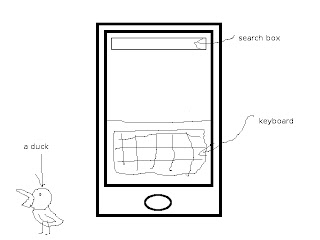
I tried it, it works. I don't really have anything to say about it, it just works.

Finally ( also know as "I don't want to draw screens anymore"), we have copy and paste. With this feature, you are able to copy pieces of text and then proceed to paste them elsewhere. Looks like the jokes will have to stop here folks, the iPod and iPhone now have copy & paste. No, I'm not making a screen.

I also noticed after the update that the YouTube application had been updated with new features. You are now able to log into your YouTube account and merge your favorites and subscriptions with your device.

Something else I noticed is that when I turn on my iPod, after showing the Apple logo, there is a black screen for around five seconds. I was freaking out the first time this happened, but after those five seconds, the lock screen showed up instead of simply taking me to the home screen like it did previously. I've also noticed that it takes considerably longer to shut down that before, sometimes a good fifteen to twenty seconds.

All in all, I consider this update to be worth it, though I do think that ten dollars for a software update is a little steep.